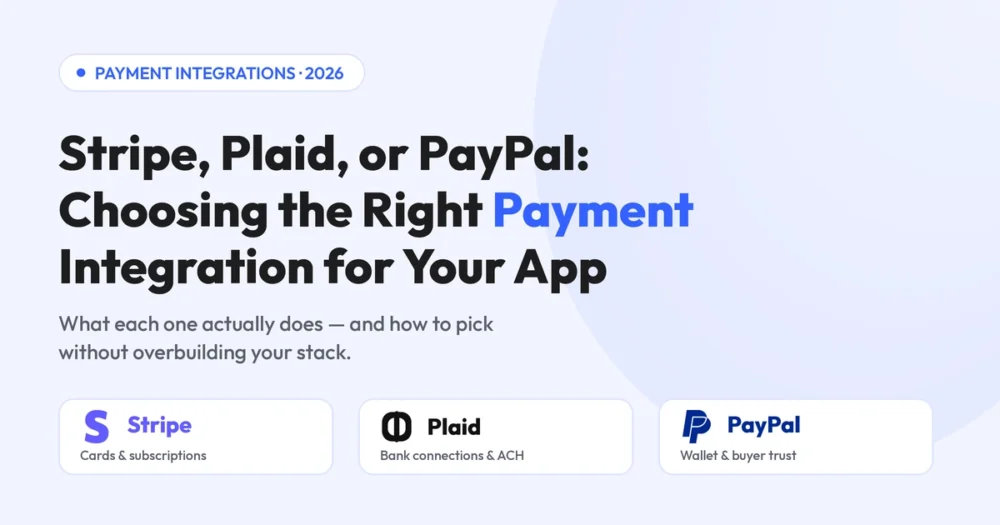
When founders ask us “should I use Stripe or PayPal?” the honest answer is usually: that’s the wrong comparison. Stripe vs Plaid vs PayPal isn’t a three-way race for the same finish line — each tool solves a different part of moving money, and the right payment integration for apps often combines two of them.
This guide breaks down what each platform is built for, how they overlap, and a simple way to decide — grounded in real builds we’ve shipped.
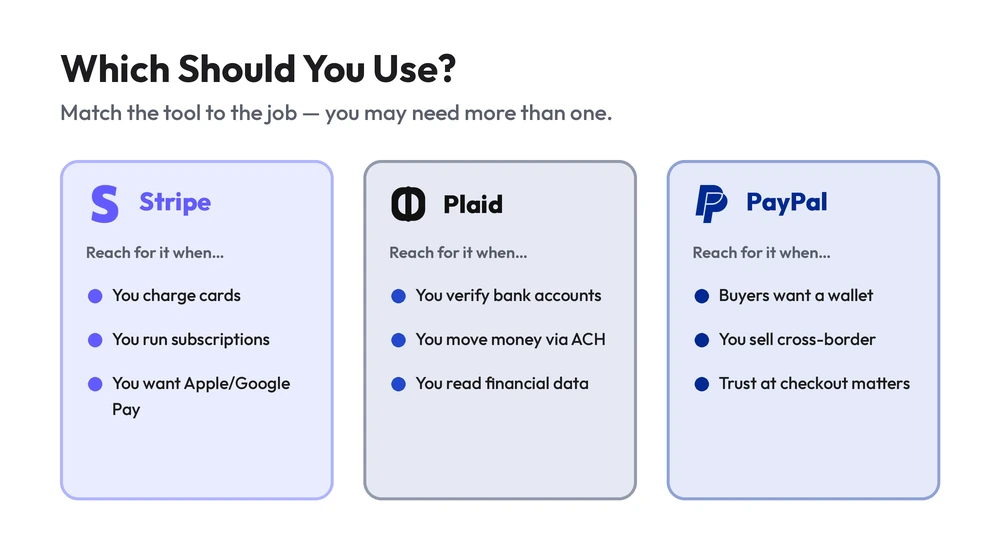
Should I use Stripe or PayPal for my app? Use Stripe if you need flexible card payments, subscriptions, and a developer-first API. Add PayPal when buyers expect a familiar wallet at checkout or you sell cross-border. Use Plaid when you need to connect to users’ bank accounts or move money via ACH — it’s not a payment processor at all. Many apps use Stripe plus one of the others.
First, what each one actually is
The confusion comes from treating all three as “payment gateways.” Only two of them process payments — the third does something different.
- Stripe is a payment gateway and processor built for developers. It handles cards, subscriptions, recurring billing, digital wallets (Apple Pay, Google Pay), and even buy now pay later — all through one flexible API.
- Plaid is not a payment processor. It’s a data network that handles bank account verification and connects your app to users’ financial accounts — the backbone for ACH transfers, account funding, and personal-finance features.
- PayPal is a payment processor and a consumer wallet. Its edge is buyer trust and a checkout flow millions already recognise, plus easy cross-border acceptance.
Payment API comparison at a glance
| Capability | Stripe | Plaid | PayPal |
|---|---|---|---|
| Primary role | Card processing | Bank data & ACH | Wallet & checkout |
| Subscriptions / recurring billing | Excellent | Not its role | Good |
| Bank account verification | Limited | Excellent | Limited |
| Digital wallets | Apple / Google Pay | — | PayPal, Venmo |
| Cross-border acceptance | Strong | N/A | Strong |
| Developer flexibility | Excellent | Good | Moderate |
| Setup effort | Low–medium | Medium | Low |
Note: transaction fees, refunds handling, and PCI compliance obligations vary by platform and region — confirm current rates before committing.
Stripe vs PayPal: the real difference
This is the comparison most founders mean. Both process card payments, but they’re built for different priorities.
Stripe wins on flexibility and control. If you’re building subscriptions, usage-based billing, or anything custom, its API and tooling are hard to beat — which is why it’s the default best payment gateway for startups building software products.
PayPal wins on buyer familiarity. For some audiences, seeing the PayPal button at checkout measurably increases conversion because the trust is already there. It’s also quick to enable. Many apps offer Stripe as the core processor and PayPal as an alternative button.
Not sure which stack fits your app?We’ve shipped all three into production — we’ll map the right one to your use case.
What’s the difference between Stripe and Plaid?
What’s the difference between Stripe and Plaid? Stripe processes payments — it charges cards and runs subscriptions. Plaid connects to bank accounts — it verifies them and reads financial data so you can move money via ACH or build finance features. They’re complementary, not competitors: a fintech app often uses Plaid to link a bank account and Stripe (or ACH rails) to move the money.
Do you need both Stripe and Plaid?
Do I need both Stripe and Plaid? Only if your app both verifies bank accounts and charges users. A personal-finance or payments app that links a bank (Plaid) and then moves or charges money (Stripe) needs both. A simple SaaS that only charges cards needs Stripe alone. Don’t add Plaid integration unless a bank connection is core to your product.
The best way to add subscriptions to your app
What’s the best way to add subscriptions to my app? Stripe is the strongest choice for subscriptions and recurring billing — it handles trials, proration, plan changes, failed-payment retries, and tax out of the box. Build on its Billing API rather than rolling your own; reinventing recurring billing is one of the most common ways teams burn months and introduce PCI compliance risk.
Which payment gateway is best for a startup?
For most startups building an app, Stripe is the best default: developer-friendly, scales from first dollar to enterprise, and covers cards, wallets, and subscriptions in one place. Add PayPal if your audience expects it or you sell cross-border, and reach for Plaid only when a bank connection is core to what you’re building.
The mistake to avoid is integrating all three “just in case.” Every integration adds code to maintain, fees to track, and PCI compliance surface area. Start with what your core flow needs and add later.
EMOH Pay: Plaid + payments in production
EMOH Pay is a Canadian personal-budgeting app we built end-to-end — a real example of combining payment integrations the right way. It connects to users’ banks via the Plaid API for account linking and balances, uses AI to auto-categorise spending, and delivers real-time net-worth insights, shipped cross-platform on React Native for iOS, Android, and web.
It’s exactly the case where you reach for Plaid: a bank connection is core to the product. The lesson we apply on every build — integrate the platform your core flow needs, not every platform available.
Choosing and wiring up payment platforms cleanly is its own discipline. Our third-party integration team has shipped Stripe, Plaid and PayPal into production apps — so the right pieces talk to each other and your payment processing stays reliable.
Frequently asked questions
Use Stripe for flexible card payments, subscriptions, and a developer-first API. Add PayPal when buyers expect a familiar wallet or you sell cross-border. Many apps offer both — Stripe as the core processor and PayPal as an alternative button.
Stripe processes payments (cards, subscriptions). Plaid connects to bank accounts and verifies them so you can move money via ACH or build finance features. They’re complementary, not competitors.
For most app startups, Stripe is the best default — developer-friendly, scalable, and covering cards, wallets, and subscriptions in one place. Add PayPal or Plaid only when your audience or product specifically needs them.
Only if your app both verifies bank accounts and charges users — common in fintech and payments apps. A SaaS that only charges cards needs Stripe alone.
Use Stripe’s Billing API. It handles trials, proration, plan changes, failed-payment retries, and tax — far safer and faster than building recurring billing yourself.